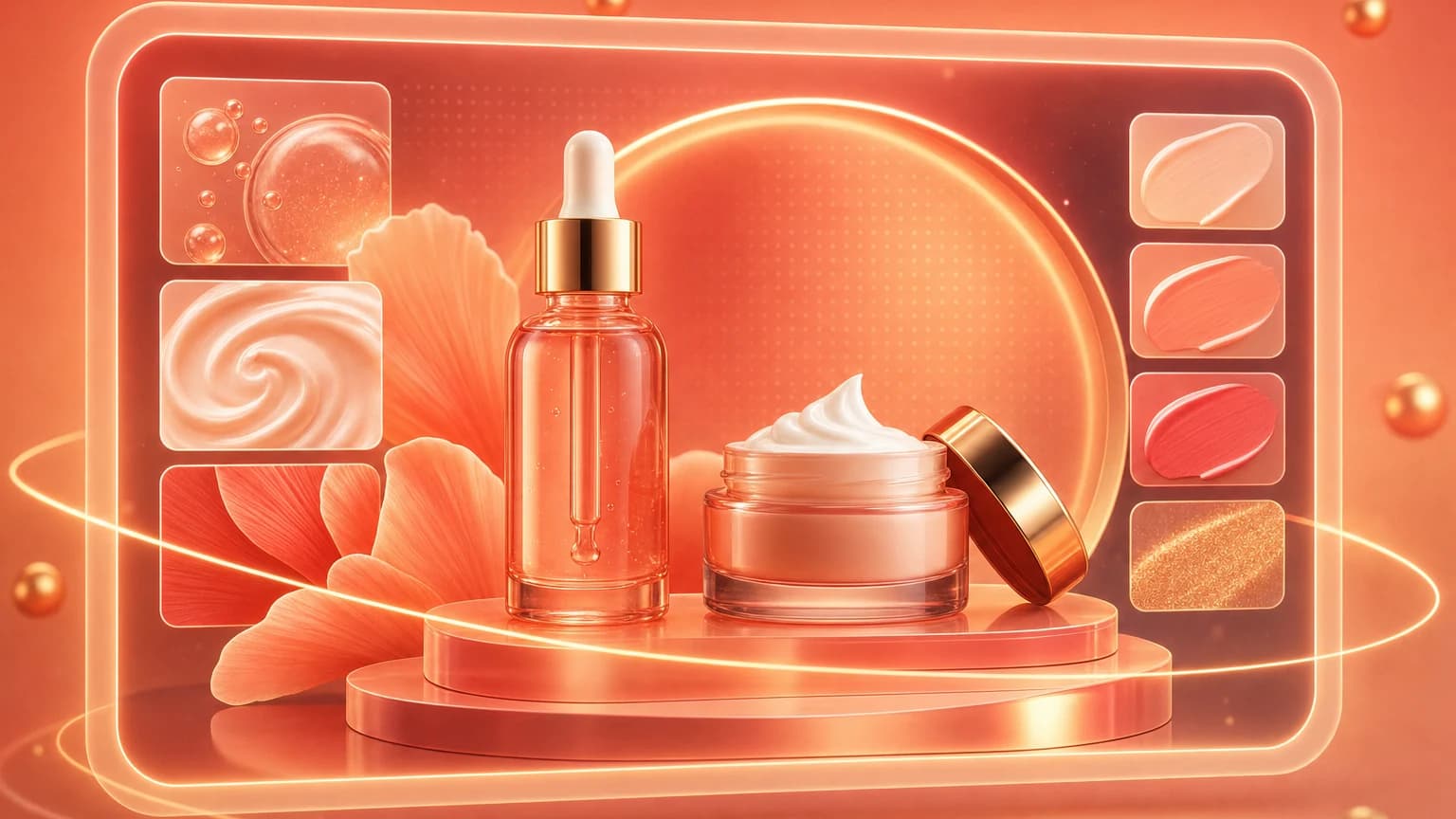
Beauty product photography has a double job: make the product desirable and keep the promise truthful. Skincare and cosmetics buyers look for finish, texture, color, packaging, size, ingredients, and routine context. A beautiful scene can help, but label accuracy and realistic use matter just as much.
SERP competitors tend to focus on styling, backgrounds, and lighting. Sellers need one more layer: the exact image stack that supports product pages, Amazon galleries, Shopify PDPs, ads, and social crops. This guide uses that structure and links each step back to tools you can use in Shelfgen Workspace.
Quick answer for beauty sellers
Create a clean hero image, a texture or swatch image, a routine lifestyle image, a size or packaging image, an ingredient/context image, and a social crop. Keep labels legible, avoid unsupported claims, and review props carefully. If a product is not clinically proven, do not let the image imply a medical result.
Amazon's product photo guidance is useful even beyond Amazon because it reinforces the same basics: the product should be clear, accurately represented, and strong enough to inspect: Amazon product photo guide.
Build the beauty image set
Hero image
Use a straight, readable product view. For bottles and jars, keep the label vertical and avoid reflections that hide text. For makeup, make color accurate enough that buyers can compare shades. Create a white or clean studio version first, then build creative variants after the core image passes review.
Texture or swatch image
Beauty buyers care about texture. Show cream thickness, serum viscosity, lipstick finish, powder payoff, or balm sheen. If the product is sealed and you cannot open it, use a close-up of the applicator, pump, brush, or packaging detail instead.
Routine lifestyle image
Place the product where it belongs: bathroom counter, vanity, travel pouch, gym bag, or nightstand. Keep props secondary. A towel, mirror, plant, or surface texture can add context, but the SKU should remain the obvious subject.
Lighting and background choices
Glossy packaging needs broad soft light. A small hard light creates bright hotspots; a larger diffused source creates premium reflections. For white or translucent bottles, place a darker card outside the frame to define the edge. For metallic caps, use controlled highlights instead of trying to remove every reflection.
Backgrounds should match the product promise. Clean white works for marketplace clarity. Stone, tile, and soft bathroom scenes work for skincare. Saturated color blocks work for makeup and social ads. Use Remove background to create the neutral version, then generate creative backgrounds once the product cutout is approved.
Compliance and trust review
Beauty images can accidentally make claims. A serum surrounded by medical props, a cream shown with exaggerated skin results, or ingredients not present in the formula can mislead buyers. The FTC's AI claims guidance is a useful reminder that marketing should not exaggerate what technology or products can do: FTC guidance on AI claims.
In Shelfgen, use AI retouch to remove dust, reduce glare, and clean the surface. Do not use retouching to change shade, formula texture, package volume, or product result. Keep source and final images together in Library so you can compare before publishing.
A beauty image should make the product feel premium without making a promise the product cannot keep.
Clean labels, remove backgrounds, retouch packaging, and export beauty image sets in Shelfgen.
Compare what Amazon, Shopify, Etsy, eBay, Google Shopping, and TikTok Shop need from each image role.
See the tools for background removal, product scenes, infographics, brand presets, and batch exports.
Follow the step-by-step help article when you are ready to generate and download your first output set.